Create Music Videos
Turn a static photo into a talking or singing avatar with AI lipsync. Perfect for
- Vocal tracks and songs
- Voiceovers and narration
- Podcast highlights and audio quotes

You don’t have enough credits to complete this request.As a subscription member, you can buy one-time lifetime credits that never expire—no subscription and no auto-renewal. Use them anytime to create songs, instrumentals, or music content.
Upload one image and an audio file. GSong AI turns them into a short music video with perfect lip sync and on-screen subtitles — ideal for TikTok, YouTube Shorts, Instagram Reels, and more.
Click to upload or drag audio here
MP3, WAV (max 10 minutes)Upload a song, vocal track, voiceover, or podcast clip. Max video: 60s.
Billed by saved audio length in 5-second increments. 720p costs 2× 480p.


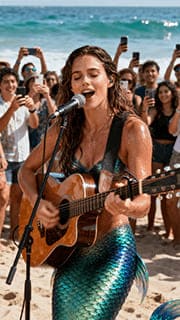



Most creators have great audio but lack the time or tools to produce video content. With GSong.ai's AI Music Video Generator, creating professional vertical videos is simple.
Your song, voiceover, podcast clip, or background music
Our AI creates a short vertical video (up to 60 seconds) with lip-synced motion and readable subtitles. A 20-second video typically completes within 3 minutes — longer audio takes more time. Once ready, share directly to TikTok, YouTube Shorts, Instagram Reels, and more.
Upload your song and a vertical photo, and our AI lipsync engine creates a short video with subtitles in 30+ languages. Download and share directly on TikTok, YouTube Shorts, Instagram Reels, and more.
First, upload your audio and trim it. Enter a simple prompt and choose a resolution to finish.
Advanced AI analyzes and synchronizes facial movements with music
Our AI lipsync engine matches lip shapes, expressions, and timing to every word.
Download your vertical AI music video with subtitles, ready for social media.
Turn a static photo into a talking or singing avatar with AI lipsync. Perfect for
Generate clean on-screen subtitles automatically. Our AI
Our AI analyzes your audio and matches lip shapes and timing to every word
Animate photos with dynamic motion. Great for
Use a character or avatar as your virtual singer. Build identity for
When you create a video using GSong.ai-generated music or your own uploaded audio, you need to set a Trim Start time and a Trim End time. The Trim End time is critical. Set the end point after a lyric line or spoken sentence fully finishes. If you cut too early, your generated video may end in the middle of a lyric or sentence. Also, match your audio and photo for the best result—if your track has a female voice but your photo is male, the video can look like a man singing with a female vocal.
Yes. You can generate a music video from an instrumental track you created on GSong AI or an instrumental track you upload. In the Audio Language dropdown, select Instrumental (No Vocals). Please note that instrumental-only music videos do not include captions.
GSong.ai's AI Music Video Generator turns one audio file and one photo or avatar into a short vertical video. Our AI lipsync engine makes your photo sing or talk, while we add on-screen subtitles so you can quickly create lyric videos, AI dance-style clips, and virtual singer content for social media.
Each AI music video can be up to 60 seconds long. It's designed for short-form platforms like TikTok, YouTube Shorts, Instagram Reels, Facebook Stories, and other vertical video feeds.
AI lipsync is our technology that makes your character's lips, face, and upper body move naturally to match your audio. It analyzes the rhythm and pronunciation of your song or voice and generates video frames where the mouth shapes, expressions, and timing stay in sync with every word and beat.
Yes. Our subtitle engine supports 30+ languages including English, Spanish, French, Portuguese, German, Dutch, Italian, Swedish, Norwegian, Czech, Polish, Romanian, Hungarian, Turkish, Arabic, Hebrew, and many more.
You can upload common audio formats like MP3 or WAV, and standard image formats such as JPG or PNG. For best results, use a vertical photo or avatar with the face clearly visible.
GSong.ai runs its models on NVIDIA GPUs and has processed 200,000+ video and subtitle jobs across our AI engines. This gives creators fast startup times, consistent quality across many runs, and automatic retries when something goes wrong.
Yes. If an AI music video fails to generate because of a technical issue on our side, the credits used for that attempt are automatically returned to your account.
Yes. You can use your AI music videos on TikTok, YouTube Shorts, Instagram Reels, and other platforms, including many commercial contexts. However, you are responsible for making sure you have the necessary rights for the images, audio, logos, and people shown in your videos.
GSong.ai works great for music, but it also supports voiceovers, podcasts, narration, and spoken clips. You can turn songs into AI music videos, add subtitles for educational content, or generate "talking photo" clips from podcast highlights.
Use the GSong.ai AI Song Generator to create your song or beat, then turn it into a talking or singing AI music video in minutes — no editing skills needed.